Registering a Client with Facebook
To use Social Login to allow sign-up using Facebook, a Facebook client has to be generated first. These steps will help you set up OAuth Client within Facebook.
Creating an App
1. Go to Facebook Developers Page.
2. Sign in using your Facebook account credentials.
3. Click My App on the top right corner.
4. Click Create App.
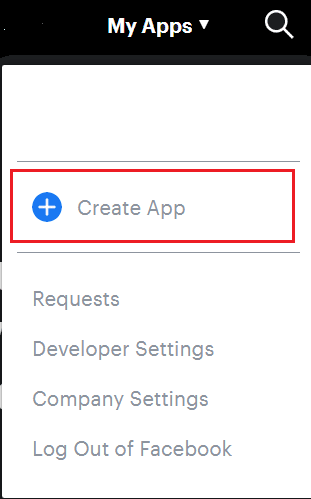
5. Click Create App ID.
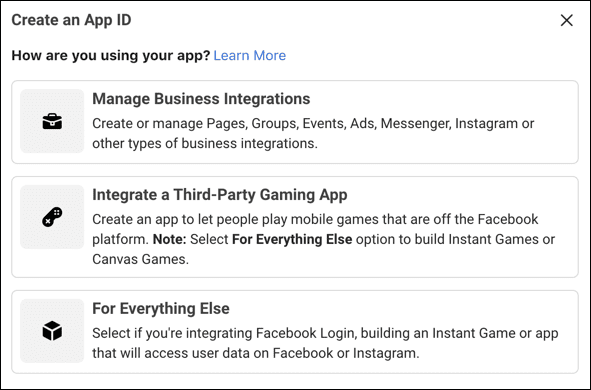
6. Choose the app preference from the options shown below:
7. Provide the App Display Name and App contact email. Choose who can access your app and select the business manager account from dropdown.
8. Click Create App ID.
9. Complete the security check and click Submit.
Registering OAuth Client
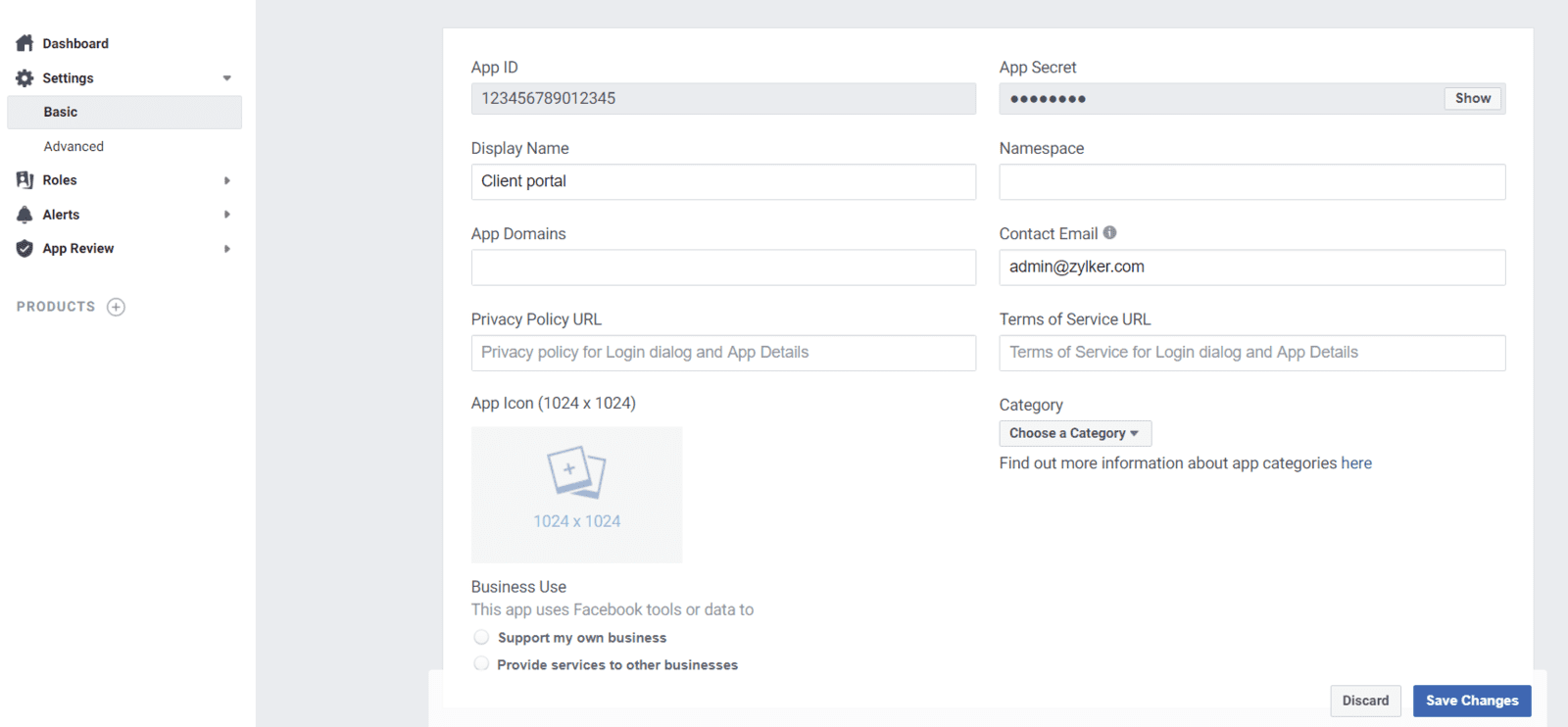
1. From the app dashboard, select Basic under Settings. Client ID and Client Secret are available at the top of the page.
2. In the left panel, under Products select Facebook Login from the options.
3. Select Settings under Facebook login.
4. Under the Client OAuth Settings section, provide Valid OAuth Redirect URIs. This is the URI obtained from Zoho Commerce UI.
5. Click Save Changes.
6. Switch to Zoho Commerce and configure the federated login by using the APP ID and APP Secret from Step 2 mentioned above.
Related Articles
Facebook Shop
You can set up a Facebook Shop by connecting your Zoho Commerce store and Facebook pixel ID. Facebook will create a Shop section on your Facebook Page that will display your Zoho Commerce products. Pre-requisites: Zoho Commerce Store Facebook ...Register a Client with Google
To configure Social Login, we first need to create a client on Google. This document explains how to register a client in google. Create a project: Head over to Google API and create an account using your email address. 2. Click Agree and Continue to ...Facebook Pixel
The Facebook Pixel is a piece of code for your website that lets you measure, optimize, and build audiences for your Facebook advertising campaigns, based on your visitors' store activity. It helps you remarket to people who have taken a specific ...If the client does about $7200 as online sales for a month, to what amount does the 1% transaction fees apply?
The transaction fee only applies to $1200. This is because waive off the transaction fee for sales up to $6000 in Pro plan. All transaction fees are only applicable for values over the threshold value set for each region and plan. Check the pricing ...Social Login
Your customers can now use their social media accounts to login to your store. For this easy login to happen, you need to set up the process from the backend. 1. Go to Site Settings > Member Portal under General. 2. Head to Social Login under ...