How can I add a value for the Lead Source field?
- Click Setup > Customization > Modules and Fields.
- Choose the Leads module from the list of modules.
- In the Leads layout go to the Lead Source field and click More > Edit Properties.
- Click the Add icon to add a new value.
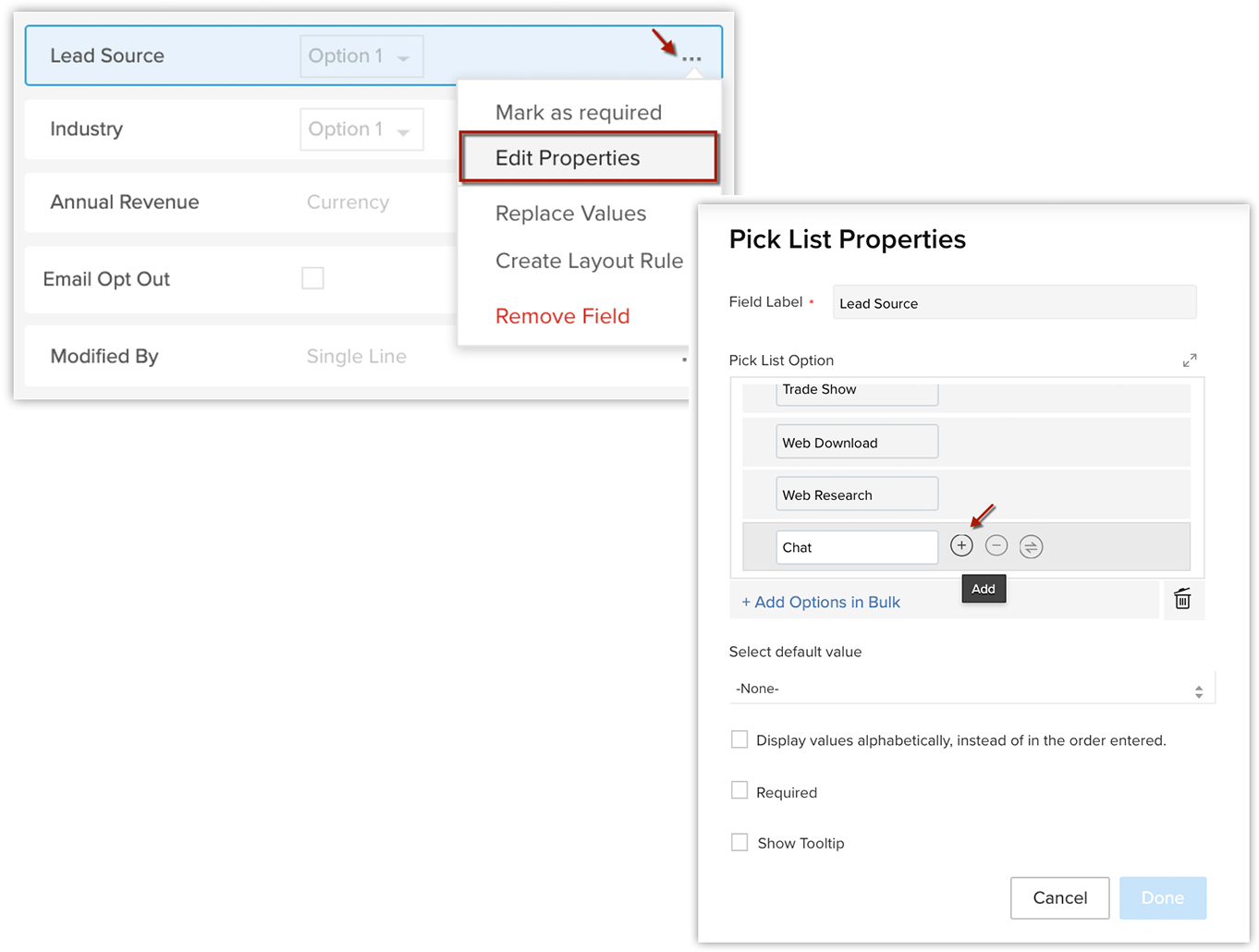
You can also add options in bulk through a pre-defined set of choices by clicking the + Add Options in Bulk option.
Related Articles
How to automatically assign Leads to different users?
You can assign leads to different users automatically by configuring Assignment rules . However, you can apply assignment rules only for those leads that are generated through import, webforms, and API. Note : Assignment rule does not apply to the ...
When to use Lead conversion mapping and Map dependency field?
Lead conversion mapping : Lead conversion mapping is used to map the fields in different modules, whereas map dependency field creates dependencies between two fields belonging to the same module. The main goal of lead conversion mapping is to move ...
Can I change the currency field value for records?
No. You cannot change the Currency field's value for a record once it has been created. The currency for a record can only be specified while creating a record (lead, account, contact etc.)
How to add fields to the Web-to-Lead form?
To add fields to the Web-to-Lead form, do the following: Click Setup > Leads/Contacts/Cases Settings > Web-to-Leads/Contacts/Cases Form. In the Web to Lead/Contact/Case page, click Create New Form. In the Field Selection Section, select the fields' ...
Automatically assign leads from a particular source to selected reps
Edition: Professional and above | Industry: Travel and Tourism | Feature: Assignment Rule Scenario Zylker Moments is a travel agency. They wish to automate assignment of imported leads, based on the following criteria. Rule Name: Assignment Rule ...