Whom can I mention in my status updates, feeds and comments?
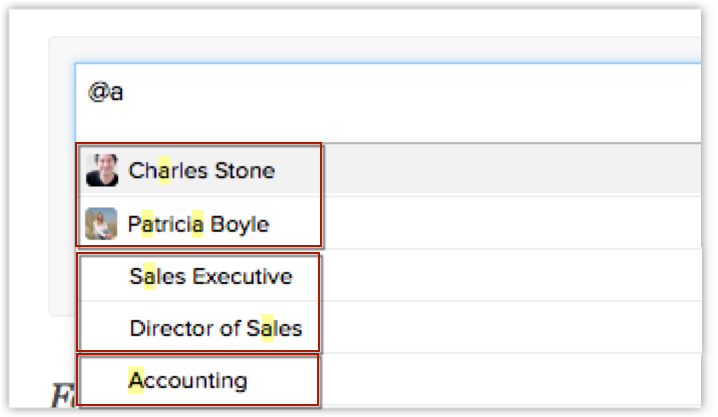
You can mention users, roles and groups in your status updates, feeds and comments.
Related Articles
Where can I mention users across Zoho CRM?
You can mention fellow users in the following places: Status updates Feeds Comments Notes section in a Record's Details page.Collaborating Using Zoho CRM Feeds
Collaboration is an important aspect in business. When you need to finalize a deal or negotiate on the discount price or organize an event, you collaborate with your team to achieve the goal. For this purpose, tools that help you communicate clearly ...Who sees the status updates/feeds that I post?
When you post a status update on your organization’s wall, all users in your organization will be able to see it. You can mention an individual, a group, or roles in a status update. To mention a group, simply type “@” followed by the group’s name, ...Collaborate Using Feeds on Android Device
Feeds on Zoho CRM for Android lets you collaborate with your peers and keep a track of your organization's activities - be it your own or that of your colleagues. It lets you post and view status updates, add comments, attach files and filter Feeds ...Setting Field Updates
The Field Update option helps you to automatically update certain field values in the records, when the associated workflow rule is triggered. Availability Permission Required Users with administrative profile can access this feature. To create field ...