Installing the Zoho Campaigns app
What do I need to install the app?
- An internet connection (cellular or Wi-Fi connection).
- A Zoho Campaigns account to login to the app.
- An Andriod device with an OS of 4.0 (ICS) and above.
Note
- If you are a new user, you must first create a Zoho Campaigns account to login to the app.
Installing Zoho Campaigns app via Play Store
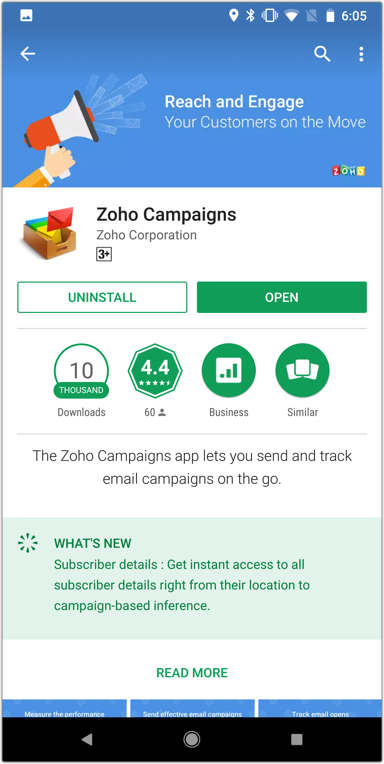
- Visit the Play Store on your Android device.
- Search for the Zoho Campaigns app.
- Tap Zoho Campaigns in the product Info screen.
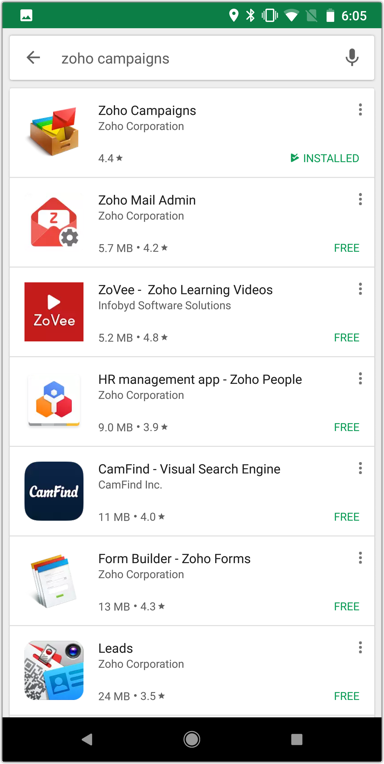
- Tap Install. The application will be installed.
Related Articles
Installing the Zoho Campaigns app
What do I need to install the app? An internet connection (cellular or Wi-Fi connection). A Zoho Campaigns account to login to the app. The Zoho Campaigns App is supported on devices with iOS 9.0 and above. Note If you are a new user, you must first ...
Zoho Campaigns App for Apple TV
Zoho Campaigns has come up with an Apple TV app that allows you to view the reports of your campaigns, with the help of an Apple TV. Viewing and analyzing the performance of sent campaigns as an organization helps you know where you currently stand ...
An extensive view of Campaigns App in iPad
The Zoho Campaigns app is available on both iPhone and iPad. The flow and functionality of the app is similar on both devices, despite the fact they use different operating systems (iOS on iPhone and iPadOS on iPad). However, thanks to the larger ...
Is it possible to make in-app purchases in the Zoho Campaigns app?
The in-app purchase option is available in the Settings section of your app. When new users sign up, they will be added to a Forever FREE plan of Campaigns. Users can choose from different subscriber-based plans. After choosing a suitable plan, you ...
How does Zoho Campaigns ensure GDPR compliance for its mobile app?
To comply with GDPR, only the campaigns and the mailing list details will be fetched from the server and saved in the local database. This information can be accessed even while working offline and will be cleared once the user signs out from the ...