I want to map the Shipping Code field from a table in Zoho Books. I cannot find it under the pre-mapped fields, how can I map it?
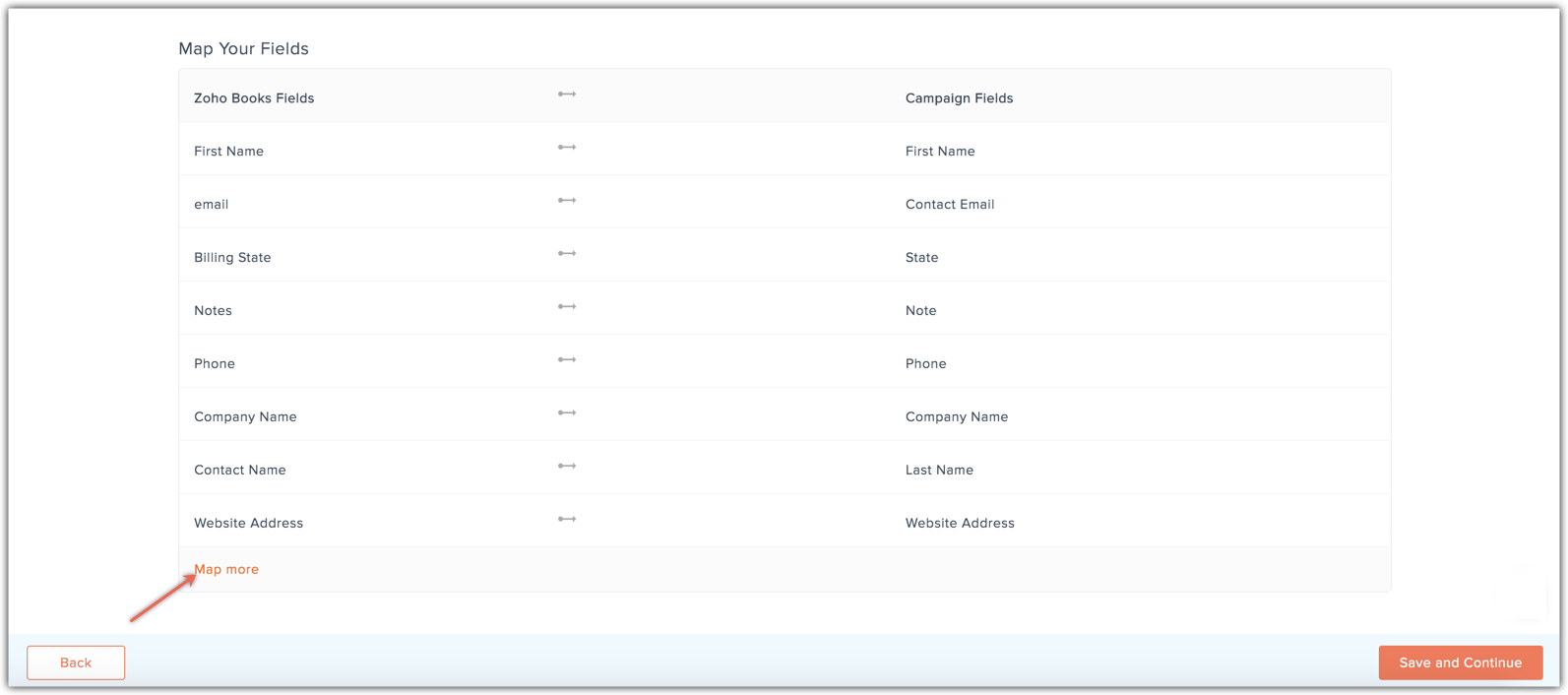
You can use the Map more link in the Mapping fields step of your sync. Product category is not a default field in Campaigns, so you will need to add a custom field for it.
You can do this from the Mapping fields page during Zoho Reports sync.
1. From the Navigation toolbar, select Contacts, then Sync Services.
2. Click Zoho Books and open an existing sync or create a new one.
3. Navigate to Map Your Fields page and click Map more.
4. Select the required field from the Zoho Books fields and check the New Field checkbox above Select Campaign Field dropdown.
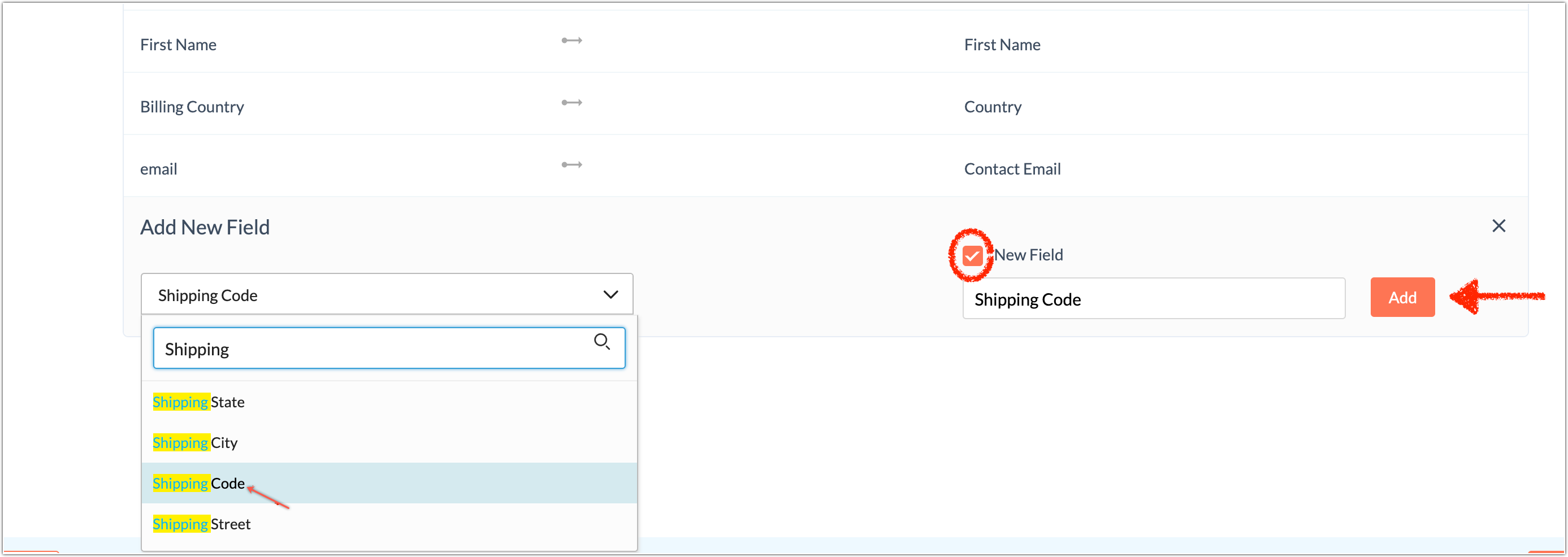
5. A custom field is created and data is imported into that field.
Related Articles
Import contacts from Zoho Books
Zoho Campaigns integrates with Zoho Books to help you build your mailing lists. The integration lets you import contacts from Zoho Books as contacts in Zoho Campaigns. You can map custom fields in Zoho Books to Zoho Campaigns to maintain your contact ...Import contacts from Zoho Books - New Version
Zoho Campaigns integrates with Zoho Books to help you build your mailing lists. The integration lets you import contacts from Zoho Books as contacts in Zoho Campaigns. You can map custom fields in Zoho Books to Zoho Campaigns to maintain your contact ...I want to map the Product Category field from a table in Zoho Analytics. I cannot find it under the pre-mapped fields, how can I map it?
You can use the Map more option in the Mapping fields step during sync. Product category is not a default field in Campaigns, so you will need to add a custom field for it. You can do this from the Mapping fields page during Zoho Reports sync. 1. ...Creating custom fields
Zoho Campaigns allows you to create your own custom fields for your contacts where you can store the extra information. With Custom fields, you can feed any type of information, set character limit and use them to save data which are specific to your ...Import contacts from Zoho Analytics
We have recently updated Topics in Zoho Campaigns. Please click here for the updated help document. Zoho Campaigns integrates with Zoho Analytics to help you build your mailing lists made out of analyzed data Analytics. The integration lets you ...