How to send a post for approval?
To send a post for approval,
1. Click on the New Post button on your Dashboard.
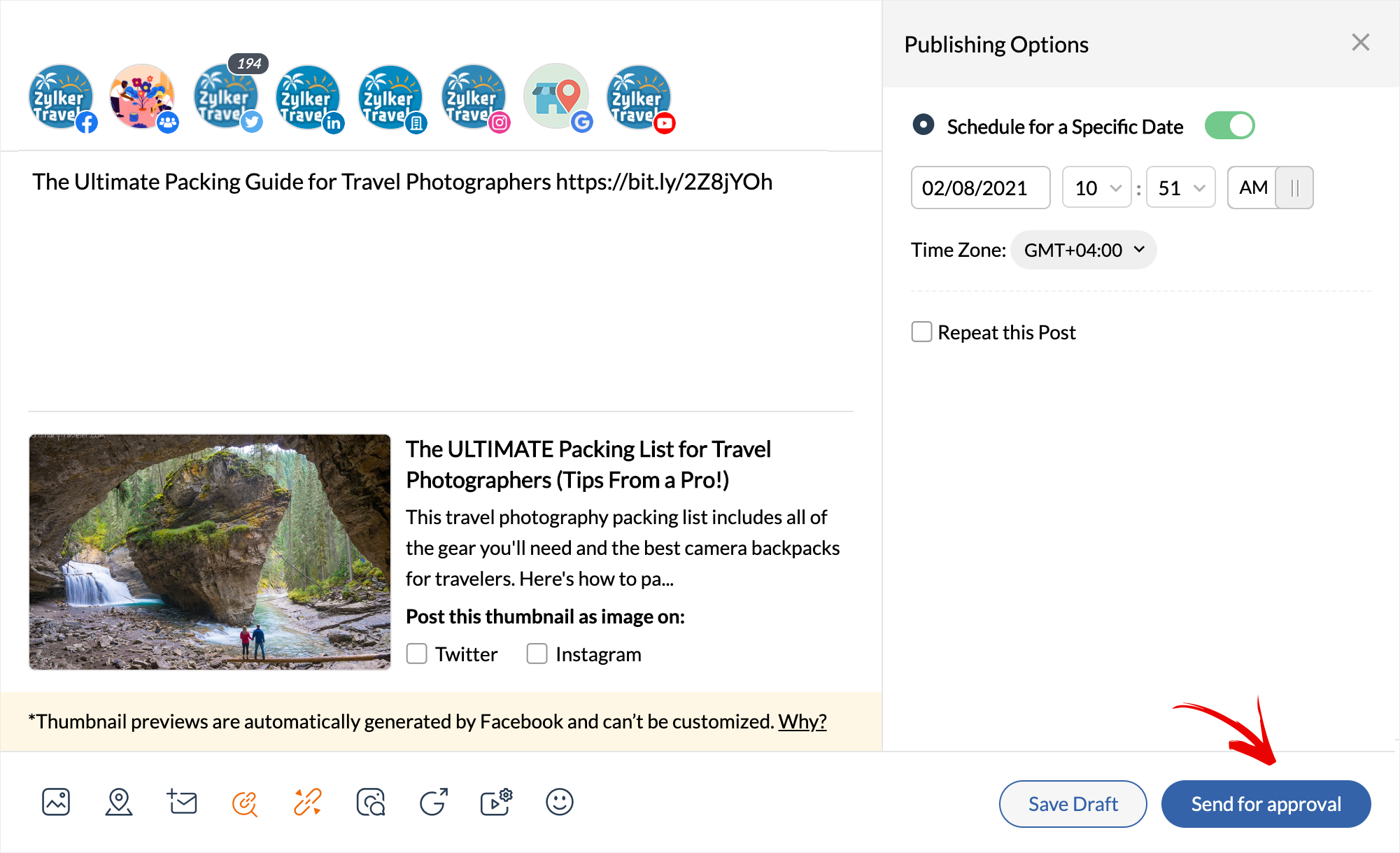
2. Type in the content, and you can choose to schedule it for a specific date and time based on your preference.
3. Finally hit the Send for Approval button on the publishing window.
1. Click on the New Post button on your Dashboard.
2. Type in the content, and you can choose to schedule it for a specific date and time based on your preference.
3. Finally hit the Send for Approval button on the publishing window.

Even if the publishing date has lapsed the post is yet to be approved, it can be retrieved and approved anytime, to be published.
Related Articles
Content Approvals on Zoho Social
When you're a team of marketers trying to push out only the best content on your social media channels, it's helpful to have a Content Approval system in place. Not only can an Approval setup pipeline your content, and get it from Point A to Point B ...How can I edit my post if it's already sent for approvals?
You can edit a post that's awaiting approval, anytime. However, once it has been approved, any edits made will push the post back into the workflow and it will be sent as a fresh post to approvers.How can I edit my post if it's already sent for approvals?
You can edit a post that's awaiting approval, anytime. However, once it has been approved, any edits made will push the post back into the workflow and it will be sent as a fresh post to approvers.Who can edit a post that is awaiting approvals?
The post-owner and Admins can directly edit any post that's still awaiting approval.Who can edit a post that is awaiting approvals?
The post-owner and Admins can directly edit any post that's still awaiting approval.