How to add my signature in tickets?
You can add your custom signature in the reply emails sent from Zoho Desk, and get connected with your customers in real time. The signatures can be added either department-wise or commonly for all departments.
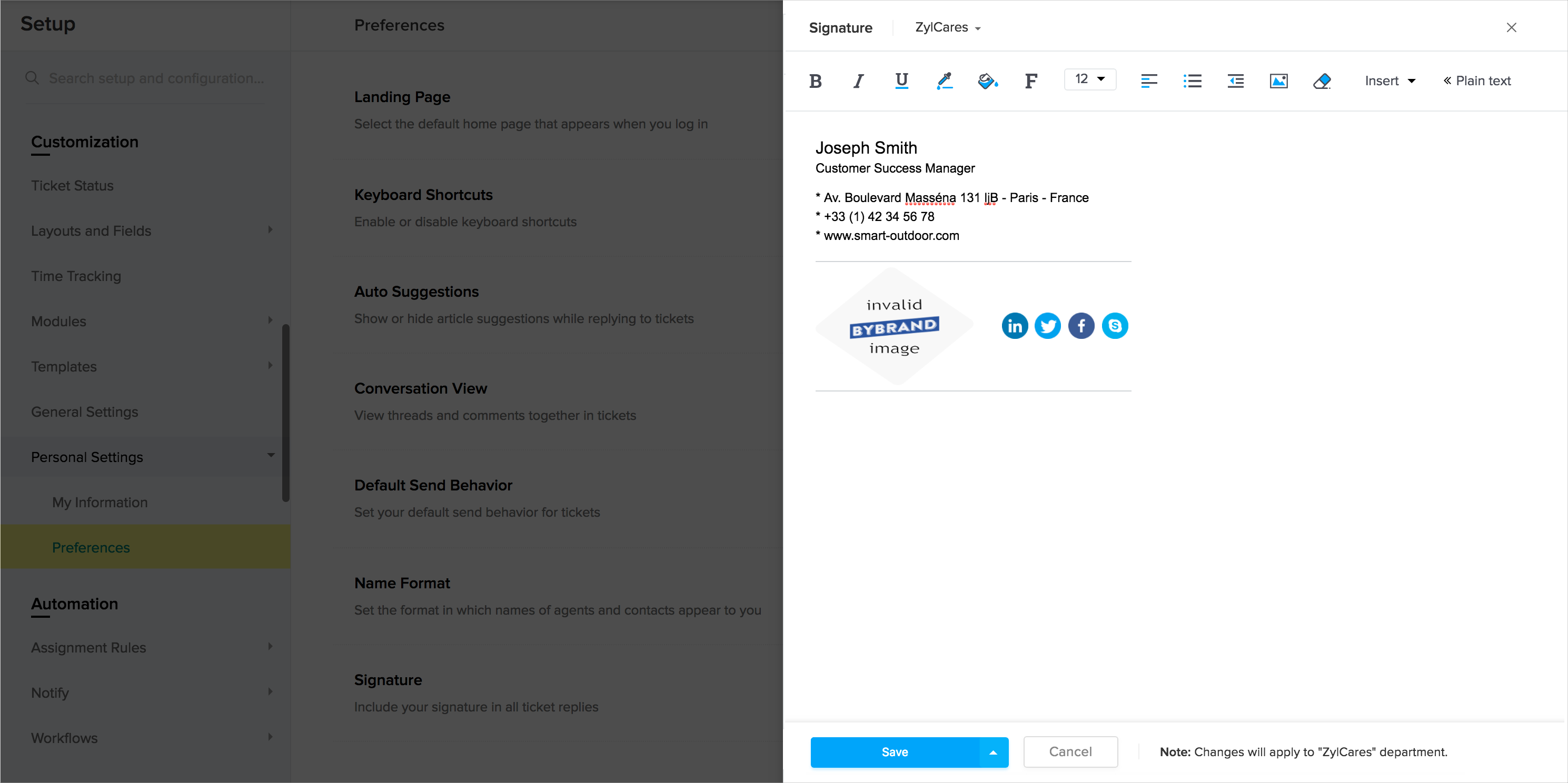
To add an email signature, follow the steps mentioned below:
- Click the Setup icon (
) in the top pane.
- Click Personal Settings under the Customization menu.
- Click Preferences under the Personal Settings sub-menu.
- On the Preferences page, click Add Signature.
- Select the department for which you wish to add the signature.
- Specify the signature in the HTML editor.
- Click the Insert icon (
) within the editor, to upload a logo.
- Click Save.
Note: Apply the custom signature to all departments by selecting the drop-up arrow on the Save button. - Click Save again, to confirm your action.
Related Articles
Updating your User Preferences
The preferences are settings and options you may select to tailor the help desk according to your needs. For example, by default article suggestions will appear when you click Reply inside a ticket. You can disable this feature under preferences so ...Enabling and Adding CC Users on Tickets
The CC feature enables your agents and end users to copy additional requesters or contacts on a ticket. Agents can copy other users in email replies, ticket detail page, and the add ticket form. Likewise, end users can copy other users in their email ...Sharing Tickets with other Departments
Collaboration is an essential aspect of customer support. If your support organization have multiple departments then being able to share tickets with them to get your work done is going to be critical to the success of your support operations. Why ...Adding users as light agents
One of the default profile, Light Agent can be assigned to users outside of your customer support team without having to pay for additional seats. Light Agents will have restricted permissions in your Zoho Desk. They cannot edit the fields in the ...How to customize the Help Center?
In just a few easy steps, you can customize the Help Center platform which allows your customers to find answers for their queries by going through your articles and forums or by raising a ticket directly from the page. You can set colors, add custom ...