How do I set up Custom Targeting on Zoho Social?
Facebook:
When you're creating a post on Facebook, you'll be able to target your posts to your audience in a particular country, or to those who speak a particular language. To create posts for a target audience:
- Click the Set Targeting icon in the bottom-left corner of the publishing window.
- Enter the countries you'd like to target your post to
- Click Done.
LinkedIn:
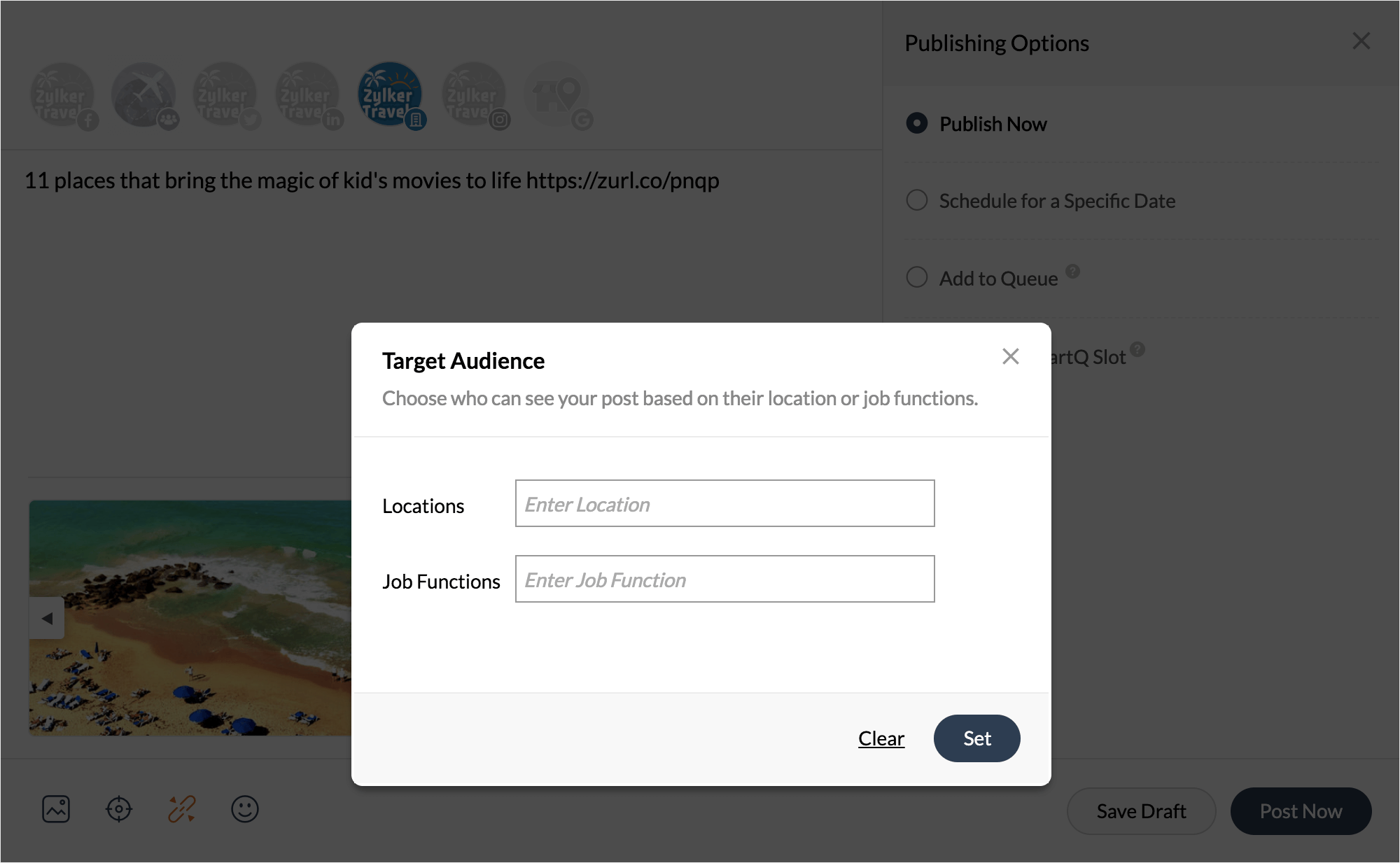
Whether you're reaching out to your audience in a particular location, or those who are performing specific job functions. Post Targeting helps you direct your posts to the right audience on your LinkedIn Company page. To target your posts to a specific set of audience:
- Select the LinkedIn company page icon from the Publishing window
- Click the Set Targeting icon, and type in Location, and the job functions of your audience you'd like to target your post to.
- Click Set.
Targeted Publishing is available only when you're publishing content on a Facebook page, or a LinkedIn Company page. Your post must target at least 300 followers on LinkedIn
Related Articles
Custom Scheduling Posts
If you want to schedule your content ahead of time instead of publishing it right away, you can choose to schedule a date and time of your choice. Scheduling posts in advance will help you save time, and plan and organize your content better. It can ...Media Library on Zoho Social
Media Library on Zoho Social is a file management space that helps you add and manage images, GIFs, and videos to use for your social media posts. With the Media Library, you can upload pictures, videos, and GIFs from your Desktop or Cloud and ...What is 'Social Network' under the utm_source parameter?
Under the utm_source parameter there are two possible preferences to choose from: Social Network or Custom Value. When you select your preference as Social Network, Zoho Social automatically sets the value of the parameter to reflect the name of the ...Adding Twitter Location via Zoho Social
Let's say you run a small retail outlet and want people online to locate and identify your business. This is when plugging-in your location on your social media posts can help potential customers around you, find your product or service. You can ...An Introduction to Zoho Social
There's so much to social media marketing—scheduling and publishing content, listening to and engaging with your audience, and analyzing performance across social networks. We understand that your presence on social media is an integral part of ...