How can I avoid syncing converted leads when creating a CRM sync?
When you initiate a sync to fetch records from the Leads module in Zoho CRM, you can exclude the converted leads from being imported i.e.you can remove the leads that have been further converted to Contacts. The converted leads will be ignored in the further syncs you initiate with any module. So, once a lead is converted as contact, that specific record cannot be added as a lead again.
To exclude converted leads:
When you set up sync with the Leads module in Zoho CRM, select the radio button Remove from mailing list corresponding to Exclude converted leads. The converted leads will be removed from the associated mailing list
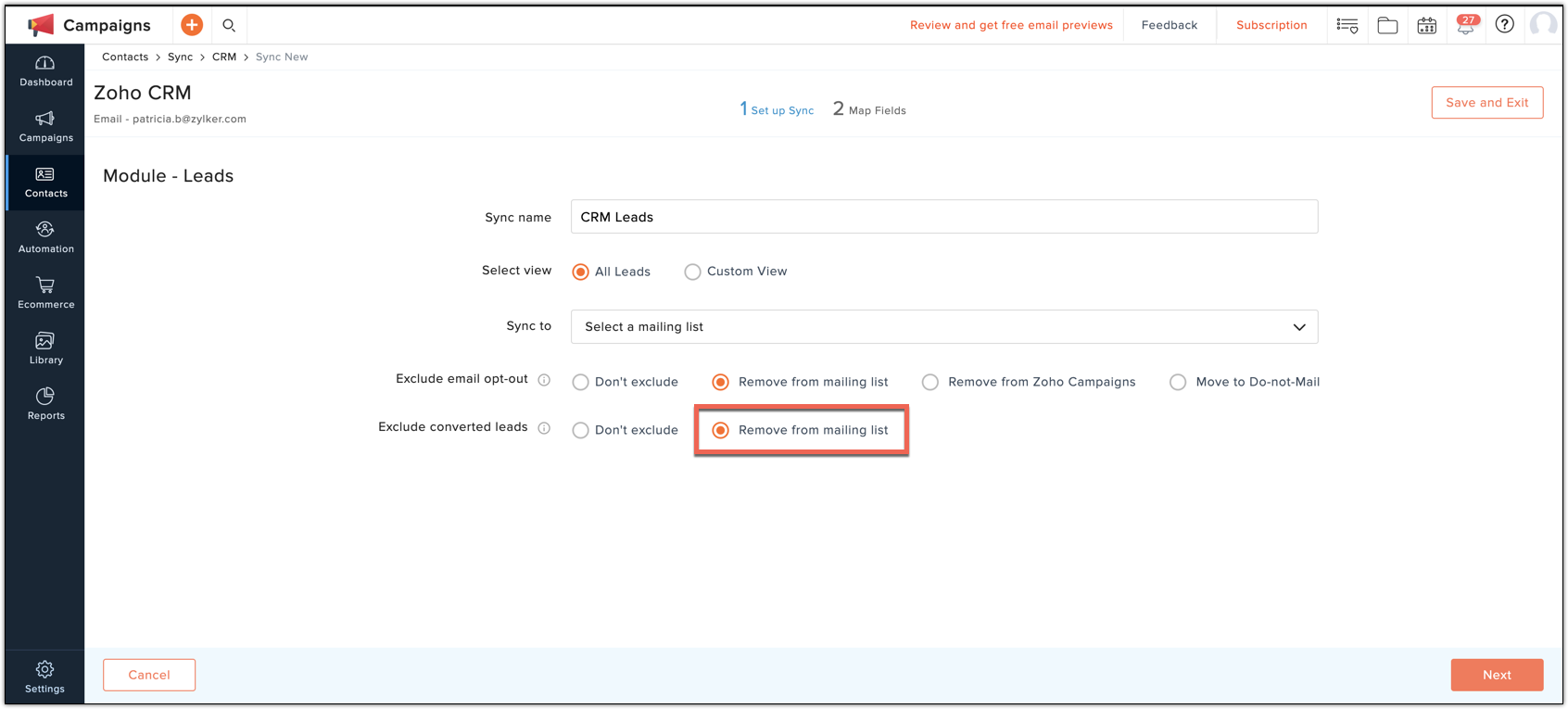
When you set up sync with the Leads module in Zoho CRM, select the radio button Remove from mailing list corresponding to Exclude converted leads. The converted leads will be removed from the associated mailing list

Exclude Converted Leads option will ignore leads that have been successfully converted to contacts. This can only be used in the Leads module.
The converted leads will be ignored in all further syncs you create in any module. This means that you cannot add those contacts as subscribers in any of your Campaigns mailing lists.

You can have separate mailing lists for your leads and contacts. When you set up sync with the Leads module, enable the Exclude Converted Leads option so that converted leads will be ignored in the associated leads mailing list. You can then add those contacts to another mailing list.
OR
If you're maintaining a single mailing list for CRM contacts, disable this option when you create the sync.
Related Articles
Set up sync with Zoho CRM
We have recently updated to a new Zoho CRM integration model in Zoho Campaigns. Please click here for the updated help document. You can set up your sync settings to schedule periodic syncing of all your contacts and leads between Zoho CRM and Zoho ...Set up sync with Zoho CRM - New Version (Topics Updated)
We have recently updated to a new Zoho CRM integration model in Zoho Campaigns. Please click here for the updated help document. You can set up your sync settings to schedule periodic syncing of all your contacts and leads between Zoho CRM and Zoho ...Set up sync with Bigin
We have recently updated Topics in Zoho Campaigns. Please click here for the updated help document. There are two types of sync between Bigin and Zoho Campaigns that you can set up. Immediate Sync : After you setup and initiate an immediate sync, any ...Set up sync with Bigin - New Version
There are two types of sync between Bigin and Zoho Campaigns that you can set up. Immediate Sync : After you setup and initiate an immediate sync, any new record that is added in Bigin will be automatically updated in Campaigns. Your records will be ...Use cases related to Zoho CRM sync
To stay compliant with GDPR, you need to keep certain key points in mind while you sync your Zoho CRM contacts/leads with Zoho Campaigns. In both the applications, the purpose and the lawful basis of processing data might be different. Before you ...