Adding a Ticket for an Account
It is not uncommon for agents to directly raise a support ticket for an account. For example, when a customer calls up from ABC Corp, it is not necessary that a contact in their name should exist. In this situation, the agent will search for the account ABC Corp and if it exists, will add a ticket for it. When the agent enters the contact's detail in the ticket, it will add a new contact and will be associated with the account thereafter.
To add a ticket for an account:
- Click the Customers module.
- Click Accounts on the lower-left corner.
- Search for the customer account.
- On the Search Results page, open the account to view its details.
Now that you've opened the account, follow the below steps to submit a ticket:
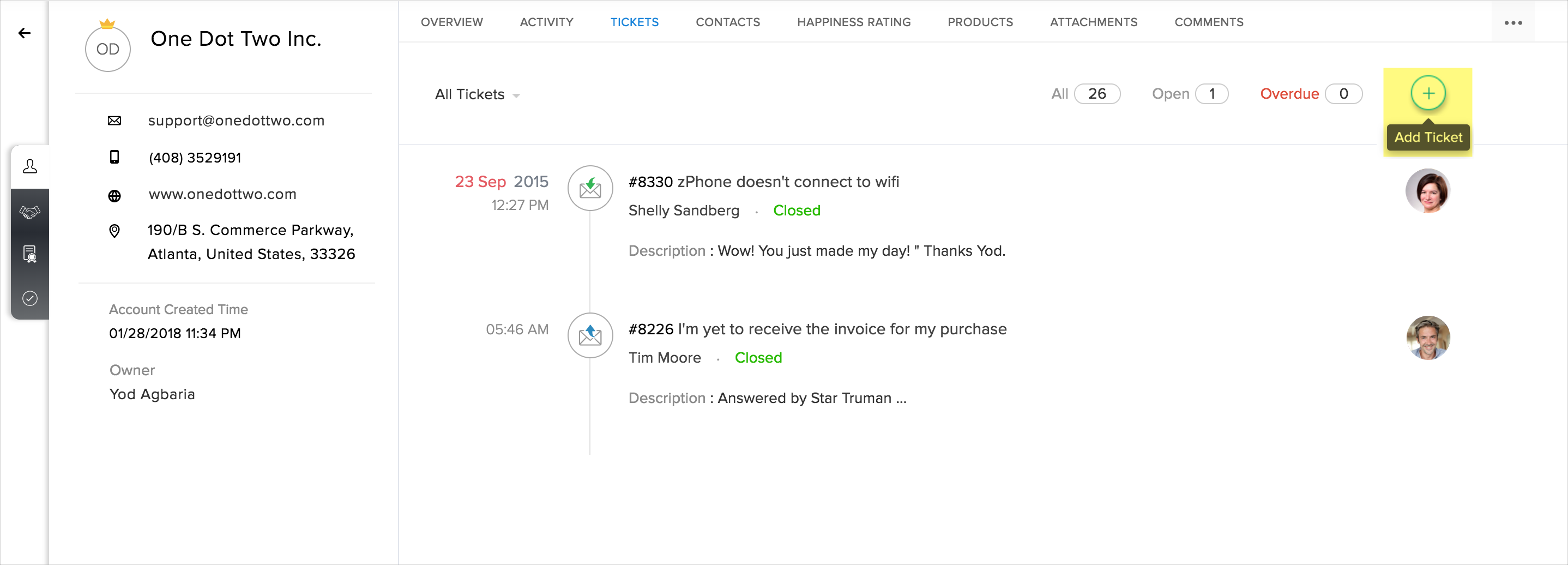
- Click the Tickets tab at the top of the page.
- Click the Add icon (
) in the upper right corner.
- On the Add Tickets page, enter the name and email of the contact and update the values for the other fields.
- Click Submit.
Related Articles
What are Ticket Tabs?
Ticket tabs allow you to link tickets to the other standard modules in your help desk. These tabs provide contextual information about a ticket such as ticket activity, pending tasks, supportive files, resolutions and the like. Let's take a look at ...What are the default ticket fields?
Most often a ticket will contain the customer's name, email, subject and a description of the request. Apart from these, there are also a bunch of standard fields which your customers can choose to fill when they submit a ticket. For example, they ...Adding and Managing your Zoho Desk Users
Agents are the persons who handle tickets and work with customer problems. They perform a wide array of actions like responding to customers, editing ticket details, closing tickets, moving tickets between departments, etc. You can add as many agents ...Customizable Table View for Tickets
The table view displays tickets in rows and columns, as in a spreadsheet. Each row displays a ticket, and each column shows a ticket property (i.e., a field). This enables you to view the properties of tickets without having to open the ticket ...Enabling and Adding CC Users on Tickets
The CC feature enables your agents and end users to copy additional requesters or contacts on a ticket. Agents can copy other users in email replies, ticket detail page, and the add ticket form. Likewise, end users can copy other users in their email ...